Full Metal Kaiju Hunters Tragic Works Discord Guide
Alpha news, badge talk, and patch verification — Discord first, always.
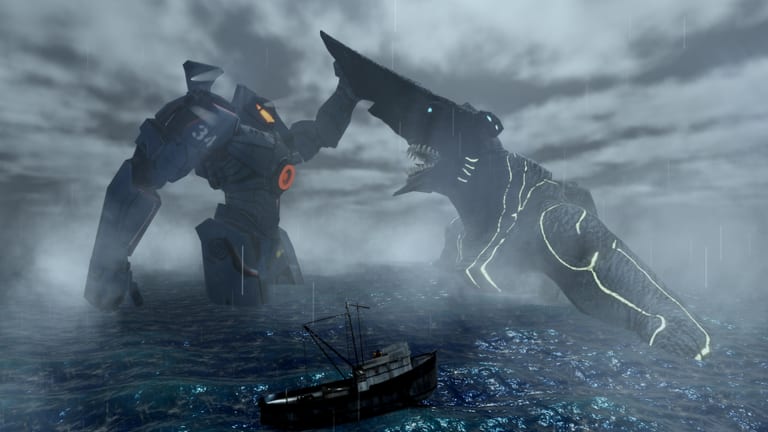
If you play Full Metal Kaiju Hunters on Roblox and only bookmark one community destination, make it the Tragic Works Discord. The experience is built by Jordans_Tragedy and still lives in early alpha around 1.0b. Patch notes, bug threads, mech previews, and badge clarifications show up in Discord far more consistently than on any public board. This page explains why that matters, how to use the server without drowning in noise, and which wiki pages to open after you read an announcement.
Parent hub: Links. Related tracking: Updates and Version History.
Why Discord is primary (and Trello is not)
Players searching for “Full Metal Kaiju Hunters Trello” often expect a Pacific Rim–style public roadmap. In practice, there is no official public Trello that the community can treat as authoritative. When roadmap-shaped information appears, it is usually paraphrased from Discord — sometimes incorrectly.
That means:
- Announcements in Tragic Works beat random social reposts.
- Pinned messages beat week-old screenshots in unrelated servers.
- Developer or staff context beats anonymous “trust me” tier claims.
Use this wiki to organize strategy. Use Discord to verify reality.
What you should follow in Discord
| Goal | What to look for | Then open on the wiki |
|---|---|---|
| Patch just dropped | Weapon, VFX, mech, map keywords | Version History |
| New Jaeger hype (e.g. Midnight Winter) | Unlock requirements + kit summary | Jaegers, Tier List |
| Loadout confusion | Community testing clips + staff clarifications | Loadout Planner |
| Badge questions | Otachi, Leatherback, Slattern, Mega Kaiju, Prologue, Alpha Tester | Guides, Updates |
| Promo rumors | Anything claiming free codes | Codes |
| Risky tools | Script/executor chatter | Scripts safety notes |
How to get news without burning your evening
- Mute non-essential channels so announcements stay visible.
- Read the newest announcement fully before asking “is the game updated?”
- Note affected systems — weapons, VFX, mechs, maps, badges.
- Reproduce in the Workshop when you play on Roblox.
- Update your kit with Tools and the Loadout Planner.
- Only then run Hong Kong, Neo Tokyo, Siberia, The Breach, BloxYork, Mega Tokyo, Australia, or Pacific Ocean routes.
This loop keeps Alpha Tester badge holders useful to the project: feedback matches the build everyone else is on.
Maps and fights you will see mentioned
Community channels constantly reference Prologue onboarding, Workshop testing, city clears in Hong Kong and Neo Tokyo, colder pressure in Siberia, spectacle fights in BloxYork and Mega Tokyo, longer expeditions through Australia and the Pacific Ocean, and spike content in The Breach. When someone claims a map is “nerfed” or “broken,” ask which Discord post they saw. Then confirm in a short live session before rebuilding prestige plans from Getting Started advice.
Boss badge conversations cluster around Otachi, Leatherback, Slattern, and Mega Kaiju. Prologue and Alpha Tester are different: one is onboarding completion energy, the other is community participation/testing identity. Do not treat all six badges as the same fight design.
Verification checklist for shady reposts
| Red flag | Response |
|---|---|
| “Official Trello” link from a stranger | Ignore; Discord is primary |
| “Free codes daily” site asking for login | Leave; see Codes |
| Tier list with no date and no Discord context | Compare Tier List + announcements |
| Script that “auto farms Mega Kaiju” | Read Scripts; assume account risk |
| Patch screenshot with no server name | Ask for Tragic Works source |
How Discord pairs with this wiki
Discord is fast and messy. The wiki is slower and structured. Ideal workflow:
- Learn systems on Guides and the Wiki overview.
- Pick investments on Tier List and Jaegers.
- Kit with Loadout Planner.
- Track change management on Updates.
- Verify every surprise in Tragic Works Discord the same day.
If Discord says weapons changed and the wiki planner feels old, trust Discord for the fact of the change, then use the planner framework to rebuild. Fan pages should chase announcements — not the other way around.
Etiquette that keeps channels useful
- Search before asking “how to prestige?” — then read Getting Started.
- Post bug reports with map name + Jaeger + rough build label.
- Do not leak private staff messages into public rumor mills.
- Do not harass testers over balance opinions during active hotfixes.
- Share clear clips from Workshop tests when you claim a weapon is broken.
Safety
Tragic Works may have rules, verification bots, and anti-spam systems. Follow them. Never share your Roblox password, backup codes, or session cookies in DMs — staff will not need those to help you play Full Metal Kaiju Hunters. This wiki is unofficial and is not a substitute for Discord moderation decisions.
Quick start for brand-new Discord joins
- Join Tragic Works and find announcement channels.
- Launch the game on Roblox and finish Prologue if you have not.
- Read Getting Started.
- Skim Version History.
- Build a city-farm kit in the Loadout Planner.
- Return to Discord whenever something feels “suddenly wrong.”
Stay close to Tragic Works, treat missing Trello boards as normal for this project, and let Discord remain the heartbeat of alpha information.
Frequently Asked Questions
Quick answers to the most common questions.
Why is Tragic Works Discord so important?
It is the primary channel for alpha patch news, clarifications, and community testing discussion for Full Metal Kaiju Hunters.
Is there an official public Trello instead?
No reliable official public Trello is available. Use Discord announcements as the source of truth.
What should I do when a patch is posted?
Note which systems changed, test in the Workshop, update your Loadout Planner row, then return to normal maps.
Can Discord replace the wiki?
No. Discord verifies live changes; the wiki organizes guides, tiers, tools, and long-form strategy.
Where do badge questions belong?
Ask with context in Discord, then compare structured advice on Guides and Updates pages for Otachi through Alpha Tester goals.
Are wiki Discord invite mirrors safe?
Prefer well-known community invites and never share Roblox credentials. If a link asks for your password, leave immediately.